Update, August 2026: MONKII is now called MechApe — the old name collided with an existing fitness brand, so it got a new one. It also no longer needs Ollama, or anything else installed first: it ships its own llama.cpp engine. Names and instructions below have been updated; the rest of the post stands as originally written. Tour MechApe →
Software engineer by the merciless light of day, author by the mischievous glow of moonlight — and every so often, the two shifts collide and something crawls off the workbench. Today it’s official: MechApe, my local, private LLM studio, is out in the world. Free. Open source. Constitutionally incapable of gossiping about you.
You can tour the full exhibit on the MechApe page, or go straight to the source at github.com/codalanguez/MechApe.
So what is it?
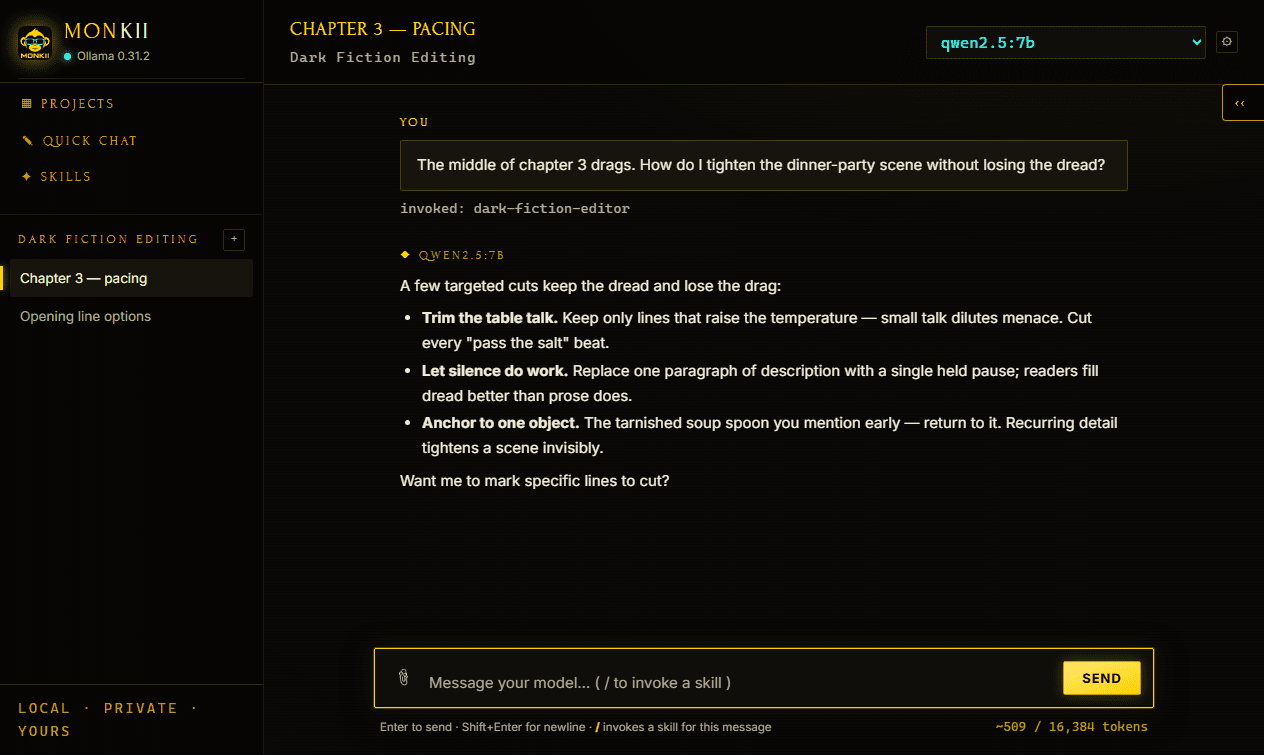
MechApe is everything I wanted from the big cloud chat apps, running entirely on my own machine. It ships with llama.cpp inside it — the engine that actually runs the models — and wraps it in an actual studio:
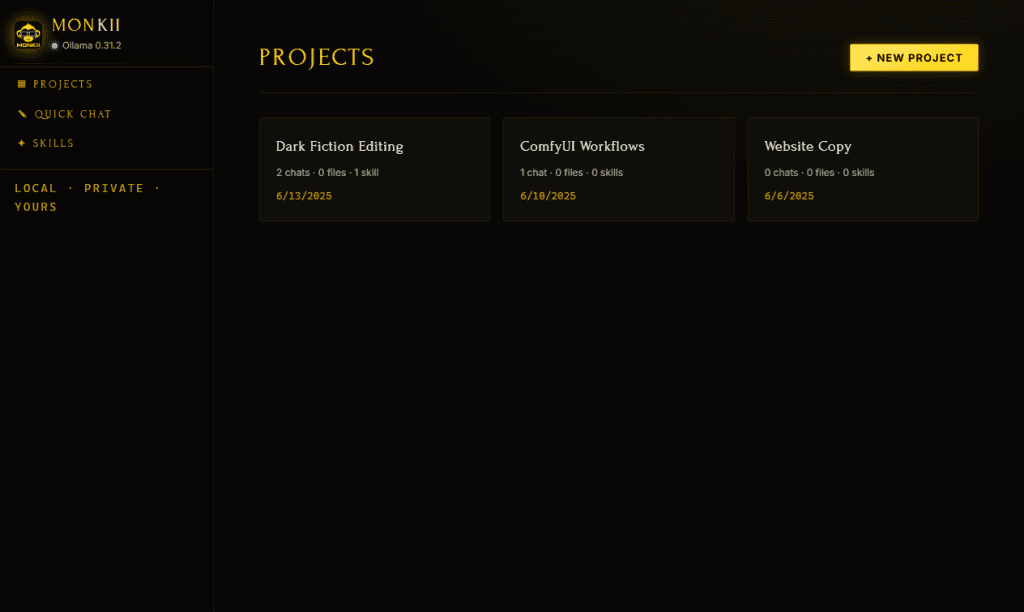
- Projects. Bundle instructions, knowledge files, skills, and conversations into their own drawers, each with its own model memory. The novel research never has to meet the tax questions.
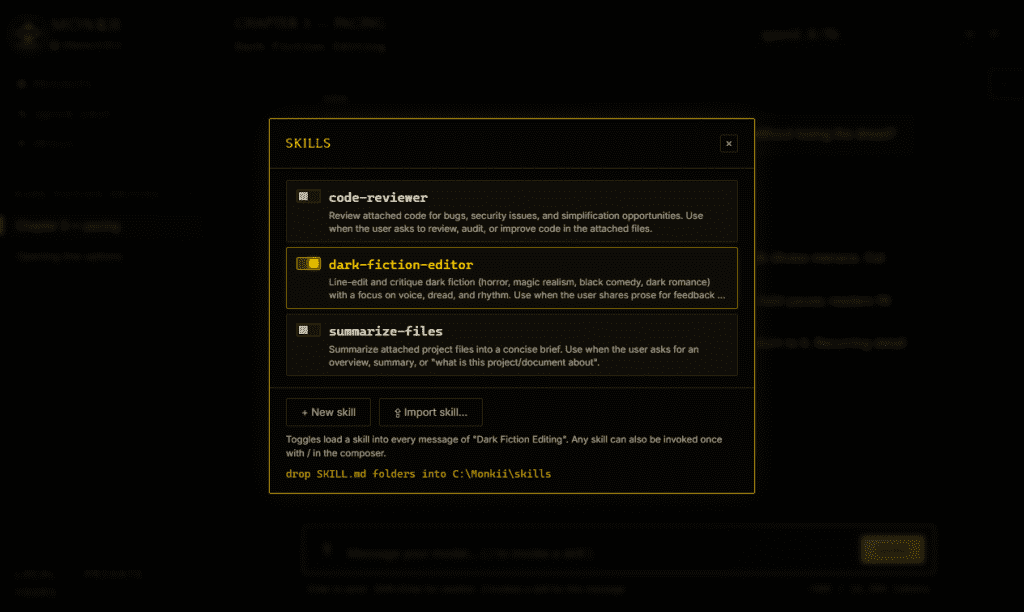
- Skills. Reusable instruction sets in the Claude SKILL.md format — write your own, import them, or have the AI draft one for you. Toggle per project, or summon one mid-message with a slash.
- Live file knowledge. Attach files or entire folders and MechApe reads them fresh from disk every time. Edit the file; the next message already knows.
- On-device retrieval. Big attachments get indexed with local embeddings — about ten times faster than dumping the whole file into context, and better at finding the fact you actually asked about.
- Seven themes. Four dark, three light, all WCAG AA. Your 2 a.m. self will thank you.
- A desktop app. A native Electron shell with the model engine already inside it, or run it in the browser if you prefer.
Why local?
Because your conversations are nobody else’s business — and MechApe takes that literally. Out of the box, nothing ever leaves your machine. Not the chats, not the files, not the embeddings. The app binds to loopback only, with DNS-rebinding and CSRF protections standing guard at the door. The only cloud involved is the one outside your window.
If you write fiction, you already know why this matters. Drafts are fragile, embarrassing, occasionally incriminating things. Mine involve enough morally ambiguous protagonists and questionable search histories that I’d simply rather not mail them to a data center. Now the first reader of every terrible first draft is a model running two feet from my coffee.
The honest part
Sometimes local hardware taps out — so MechApe has optional OpenRouter support for remote models. It is strictly opt-in, every remote conversation is loudly badged, costs are visible, and your retrieval embeddings still stay home. Privacy software that hides its own data flows isn’t privacy software; it’s marketing. MechApe shows its work.
Quick start
Three commands. No account. No email field lurking at the end. You’ll need Node.js 18+, and nothing else — the model engine comes with it.
git clone https://github.com/codalanguez/MechApe.git
cd MechApe && npm install && npm run desktop
On Windows, double-click Start MechApe Desktop.cmd and walk away.
And there’s a Lab now
MechApe is the first resident of The Lab — a new corner of this site for the software that escapes my workbench. It shares the shelf with Haunted Tech, the open-source WordPress theme currently possessing the page you’re reading. Everything in the Lab is free, open source, and slightly haunted.
Kick the tires, file an issue, fork it, teach it new tricks. And if you build a skill worth bragging about, tell me — the Lab door stays unlocked.